

On October 23, 2025, Microsoft announced a major update to Microsoft Copilot, its artificial intelligence (AI) assistant. The update introduces 12 new features focused on making Copilot more personal, collaborative, and useful. These features are rolling out gradually, with some available only in the United States for now. Copilot is available via the mobile app on iOS (Apple’s mobile operating system) and Android, or through the web at copilot.microsoft.com.
Microsoft’s Fall 2025 release of Copilot emphasizes human-centered design. The new features aim to help users collaborate in real time, personalize their AI experience, and integrate Copilot more deeply into everyday tools. Availability depends on region and language, with many features launching first in the United States.

What is Microsoft Copilot
Microsoft Copilot is an AI-powered assistant that helps users with tasks, learning, and productivity. It responds to text or voice input and adapts to user needs. Copilot can remember shared information (with permission), making interactions more personalized. It integrates with Microsoft tools like Edge and Windows and can connect to other services such as Google Drive and Gmail.
Key Features
The update includes the following new features:
- Copilot Groups: Enables up to 32 people to collaborate in a shared chat. Copilot summarizes discussions, suggests ideas, and helps divide tasks.

- Imagine: A creative space where users can post, remix, and comment on AI-generated content together.
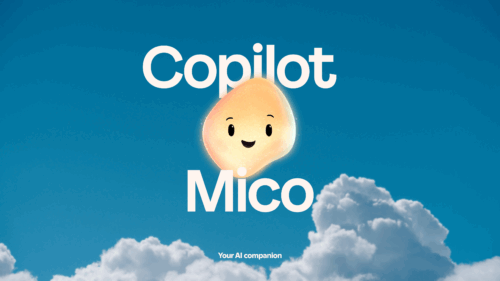
- Mico: An optional animated character representing Copilot. Mico reacts visually during interactions, adding a human-like touch.
- Real Talk: A conversation style where Copilot engages in thoughtful dialogue, asking questions and offering alternative views.
- Memory and Personalization: Copilot can remember user preferences and details over time, such as birthdays or goals. Users can manage this memory anytime.
- Context Awareness: Copilot refers to past conversations to maintain continuity, reducing the need to repeat information.
- Service Connectors: Users can link Copilot to services like OneDrive, Outlook, Gmail, and Google Calendar. Copilot searches across these platforms to find relevant content.
- Proactive Actions (Preview): Copilot can suggest helpful actions based on recent activity, such as offering travel tips after browsing vacation sites.
- Copilot for Health: Provides health-related answers based on trusted sources like Harvard Health Publications. It can also help find healthcare providers based on user criteria. Available only in the United States.

- Learn Live: A tutoring mode where Copilot teaches through interactive questions and diagrams. Useful for learning subjects like math or languages.
- Edge Copilot Mode: In Microsoft Edge, Copilot can summarize webpages, compare content, and perform tasks like filling forms. Voice control is also available.

- Journeys: Organizes browser history into timelines based on user activity. Helps users revisit past research or projects easily.
Licensing
To access Microsoft Copilot and its features, users need a valid Microsoft 365 subscription.
Because Microsoft’s licensing terms can be complex and are subject to change, it’s wise to get expert advice to make sure you have the right licenses. For tailored guidance on Microsoft Copilot licensing, consult a software licensing expert at SCHNEIDER IT MANAGEMENT. We provide up-to-date information on which subscriptions or add-ons you might need to get the Copilot features that fit your use case. Always ensure your subscription is compliant with Microsoft’s requirements to take full advantage of Copilot’s capabilities.
More Information
For full details, visit the official Microsoft Copilot blog post:
https://www.microsoft.com/en-us/microsoft-copilot/blog/2025/10/23/human-centered-ai/
For our Microsoft page, please visit: https://www.schneider.im/software/microsoft.
Please contact us for expert services on your specific Microsoft software and online services requirements and to request a quote today.