
Gain a single, actionable view of enterprise AI risks: Since February 13, 2026, the Security Dashboard for AI is in public preview and requires no additional licensing.
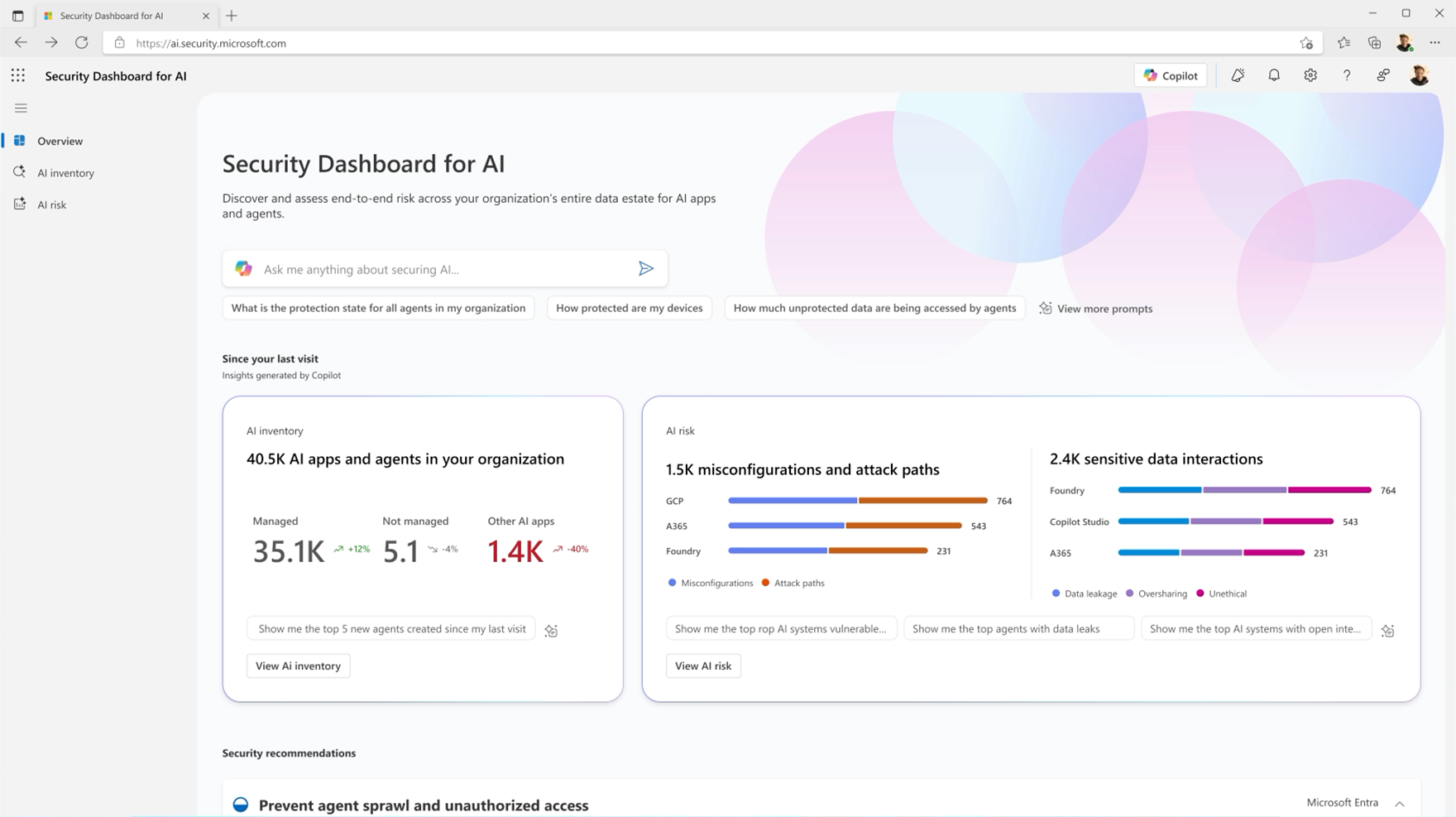
What is Security Dashboard for AI?
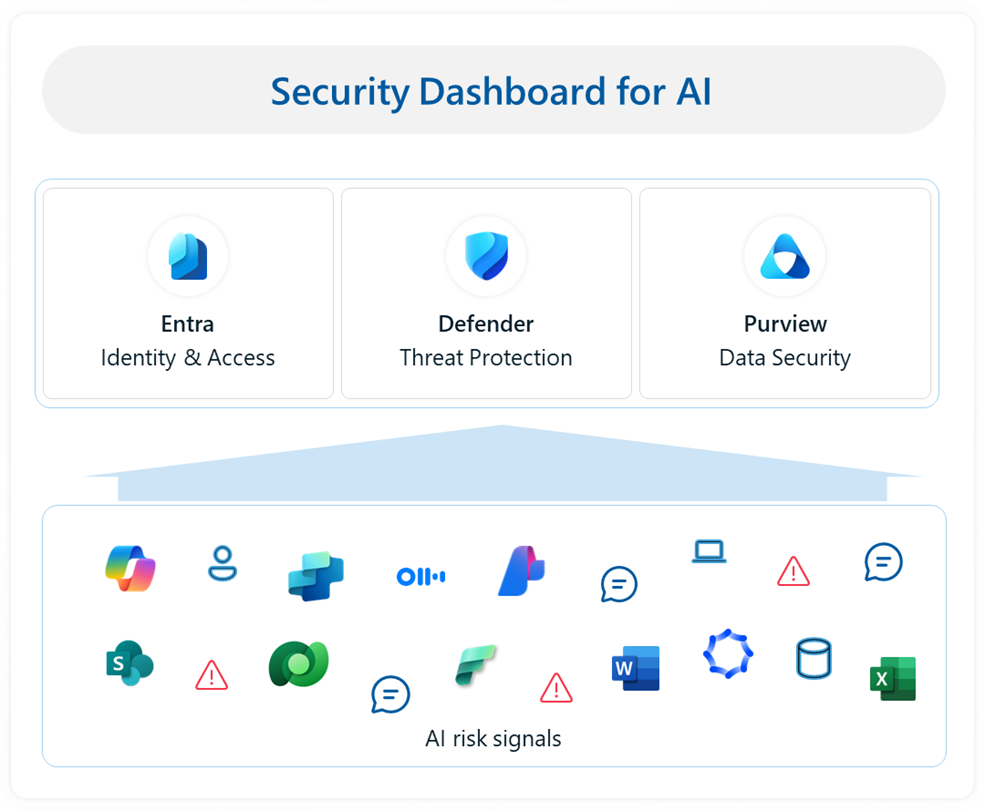
Microsoft’s Security Dashboard for AI is a unified governance and risk visibility dashboard that consolidates posture and real-time risk signals. The free dashboard is very helpful for security teams, as it brings many benefits for risk management:
- Real-time visibility of AI risk: Aggregated insights across Microsoft Entra, Defender, and Purview.
- Comprehensive inventory of AI assets: The dashboard covers Microsoft AI solutions – including Microsoft 365 Copilot, Microsoft Copilot Studio agents, and Microsoft Foundry apps and agents – as well as third-party AI models, applications, and agents such as Google Gemini, OpenAI ChatGPT, and MCP servers.
- Recommendations and remediation paths: Direct integration with Microsoft productivity tools and practitioner portals.
- AI-powered insights: Microsoft Security Copilot provides suggested prompts that help you drill down to key insights, and quickly access intelligent risk assessments, summaries, and recommendations.
- Executive reporting: Board-ready analytics and compliance insights.
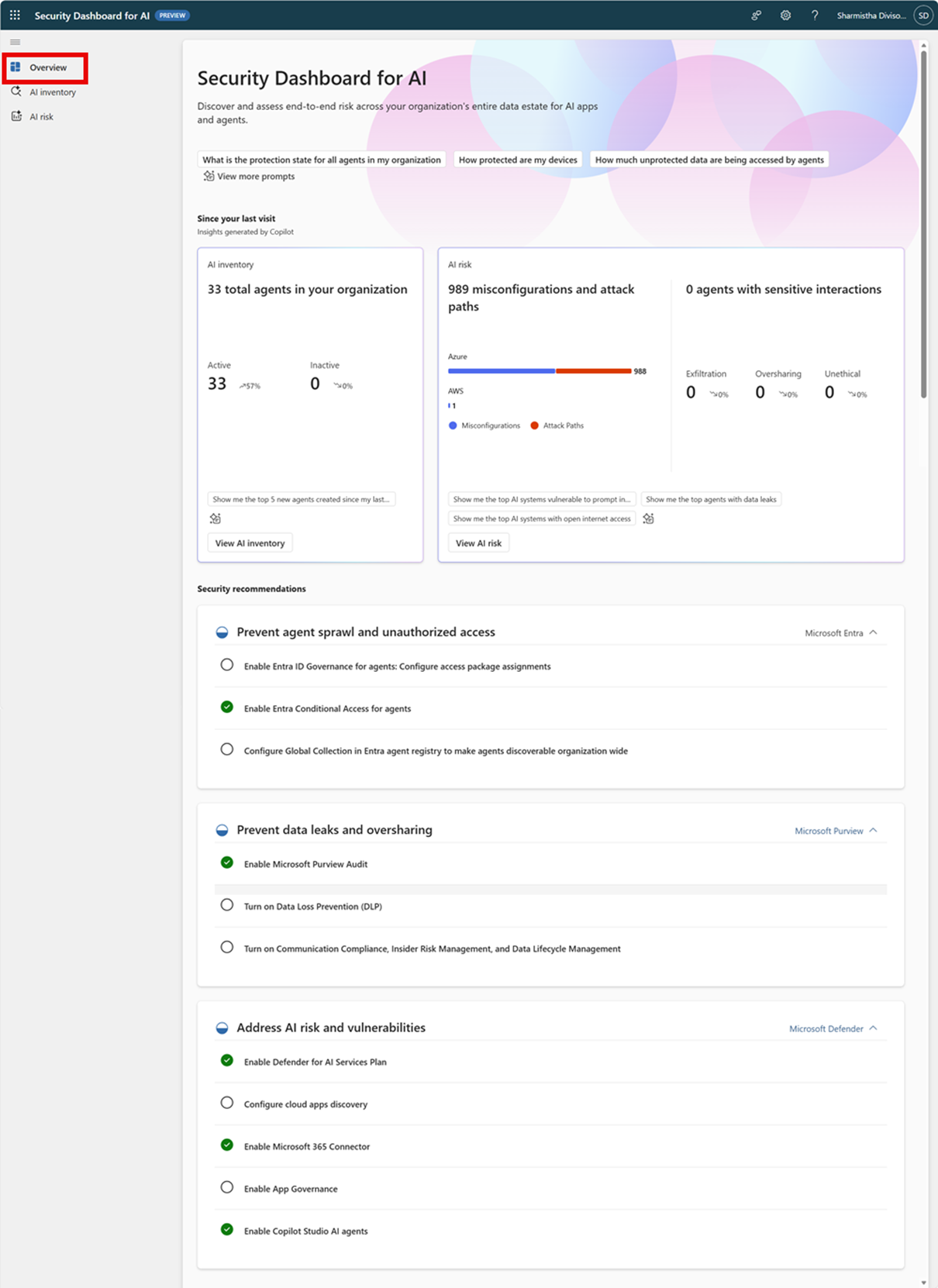
Example: OpenAI ChatGPT visibility
The dashboard inventories third-party AI models and agents, such as OpenAI ChatGPT, to extend risk assessments beyond Microsoft-native services.
What organizations should do now
- Check out https://ai.security.microsoft.com/ to access and get to know the tool
- Review current AI governance processes and align them with the dashboard capabilities.
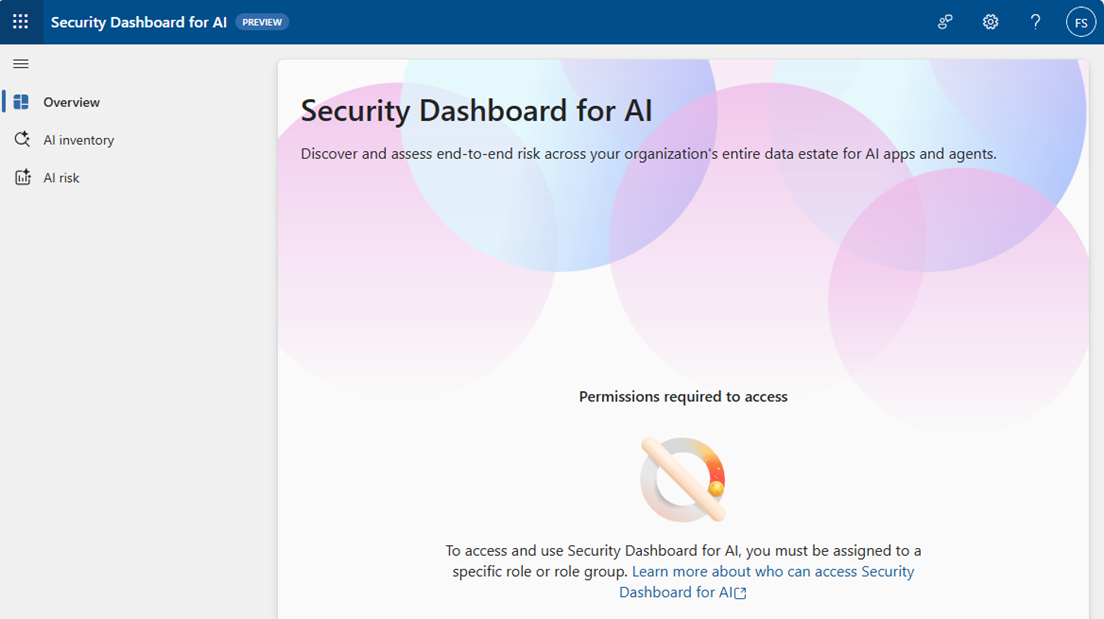
- Enable role-appropriate access for security, risk and compliance stakeholders. Only Global Administrators have access to all dashboard data. Set roles based on what you want users to be able to view. Find a list of permissions and how to set them here. Otherwise, no or restricted data is visible:
- Validate if the assets you want to control (Microsoft and third-party AI assets) are all visible.
- Update internal procedures to incorporate dashboard recommendations and task delegation.
- Monitor the AI risk scorecard and track remediation progress on assigned actions.
Questions on Microsoft licensing?

We help you by guiding you through the complex world of Microsoft licensing. We collaborate with you to set a clear strategy that ensures your organization is ready for all licensing changes and benefit from them.
Contact SCHNEIDER IT MANAGEMENT today.
Sources
For the announcement of Microsoft Security Dashboard for AI: Public preview with unified AI risk view, please visit: https://techcommunity.microsoft.com/blog/microsoft-security-blog/introducing-security-dashboard-for-ai-now-in-public-preview/4494637.
For useful software licensing information on Microsoft products, please visit: https://www.schneider.im/software/microsoft/.