

Move stale SharePoint files to cheaper storage without losing control. Effective in March 2026, Microsoft extended Microsoft 365 Archive with the public preview of file-level archiving.

Summary
- File-level archiving entered public preview in March 2026.
- Individual SharePoint files and folders inside active sites move to a lower-cost storage tier.
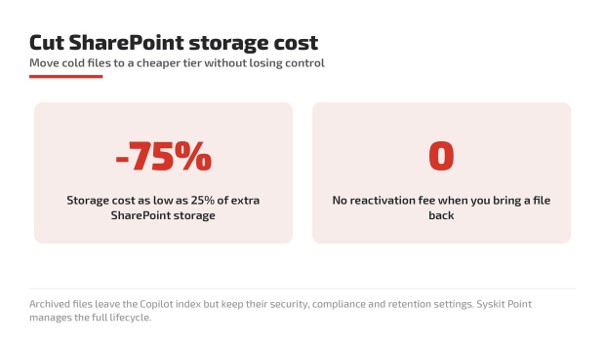
- Archiving can cost up to 75% less than adding SharePoint storage, billed pay-as-you-go.
- Reactivating a file carries no reactivation fee.
- Archived files leave the Microsoft 365 Copilot (Copilot) active index but keep security, compliance, and retention
- Syskit Point added support to find inactive files and manage their lifecycle centrally.
What is changing?
Until now, archiving in Microsoft 365 worked best at the site level, which left active sites carrying years of cold content. File-level archiving changes that by letting an administrator enable archive for a site, after which individual files and folders can be archived while the rest of the site stays fully operational.
Charges apply only when a tenant exceeds its included storage quota, and a file can be reactivated individually at any time. Syskit Point, a Microsoft 365 governance platform, layers identification and policy on top so teams can act at scale rather than file by file.
What is Microsoft 365 Archive?
Microsoft 365 Archive is a Microsoft storage tier that moves inactive SharePoint content to cold storage within the Microsoft 365 trust boundary. It sits alongside SharePoint and Copilot in the Microsoft 365 ecosystem and is licensed on a pay-as-you-go basis tied to storage above the tenant quota. Archived content stays governed, so it is a cost lever rather than a compliance tradeoff.
Customer benefits at a glance
- Lower storage spend by shifting cold files instead of buying more SharePoint capacity.
- Cleaner Copilot results, because archived files no longer compete with current material.
- Preserved governance, since retention policies, sensitivity labels, and legal hold status remain intact.
- Low-risk reversibility, as files reactivate individually with no fee.
- Faster decisions at scale when Syskit Point surfaces genuinely inactive content.
- Compounded savings by trimming version history before archiving.
Why this matters now
Copilot draws on whatever lives in active sites, so stale content weakens its answers. Reducing that noise improves the reliability of what Copilot returns. Cutting storage above quota reduces cost with minimal effort. Keeping security and retention settings preserves compliance. Acting on last-accessed and last-modified signals replaces guesswork with clarity.
What organizations should do now
- Review which active sites carry large volumes of cold or superseded files.
- Identify files untouched by both last-accessed and last-modified date.
- Validate that retention policies, sensitivity labels, and legal holds will carry over.
- Trim version history, since SharePoint keeps up to 500 versions per file by default.
- Enable file-level archive on a pilot site and measure storage reduction against the 75%
- Monitor reactivation activity to confirm archived content is genuinely inactive.
Ready to review your storage and archiving licensing?
SCHNEIDER IT MANAGEMENT is your licensing expert for Microsoft 365 Archive and SharePoint storage. We help you model pay-as-you-go costs and align archiving with your existing agreements. Contact us at https://www.schneider.im/contact/
Sources
For the announcement of Microsoft 365 Archive: File-Level Archiving Cuts SharePoint Storage Cost, please visit: https://techcommunity.microsoft.com/blog/microsoft_365blog/putting-file-level-archiving-into-practice-with-microsoft-365-archive-and-syskit/4526459.
For useful software licensing information on Microsoft products, please visit: https://www.schneider.im/software/microsoft/.