

Effective April 1, 2026, Adobe announced a price increase for Acrobat Standard for business (Teams and Enterprise) customers. This applies to subscriptions under Adobe’s Value Incentive Plan (VIP, such as VIP Marketplace and similar programs).
All new, add-on, or renewing Acrobat Standard licenses with an anniversary or start date on or after this date will be subject to the new pricing. Administrators should review their renewal dates and budget accordingly.
At the same time, Adobe Acrobat Studio is now available as a powerful alternative. Acrobat Studio was introduced in late 2025 as an all-in-one PDF productivity platform that combines Adobe Acrobat Pro with new AI-powered features and collaborative tools. Adobe is currently offering a promotion for eligible customers to upgrade from Acrobat Standard (or Pro) to Acrobat Studio at their renewal time, with up to 15% discount on Acrobat Studio subscriptions. This promotion runs until October 31, 2026, helping customers transition to the more advanced Acrobat Studio while keeping costs manageable.
What is Adobe Acrobat Standard?
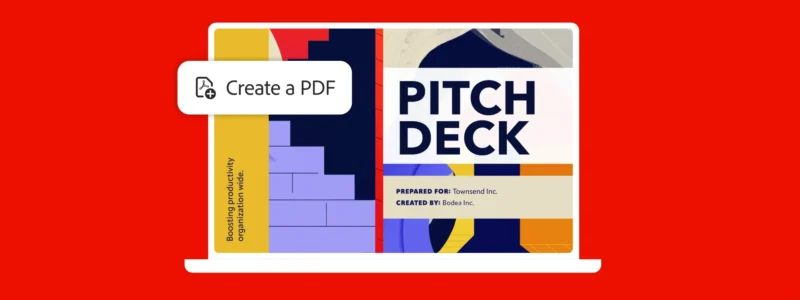
Adobe Acrobat Standard is a PDF solution that allows individuals and teams to create, edit, and share PDF documents securely and efficiently. It provides all the essential PDF tools that most business users need, such as viewing and editing PDFs, converting documents to PDF, adding comments, and collecting e-signatures. Acrobat Standard (available as Teams or Enterprise editions) is designed for everyday office document tasks, ensuring compatibility and collaboration across the widely-used PDF format.
Over the years, Adobe has steadily improved Acrobat Standard by adding new capabilities to enhance productivity and ease of use. It remains a core offering for businesses that require reliable PDF functionality without the full range of advanced features found in Acrobat Pro or Acrobat Studio.
Key Features
Recent and upcoming features of Acrobat Standard include:
- Share for Review – Allows users to send PDFs for others to review and comment in real time, with streamlined feedback tracking and faster response times. This improves collaboration by keeping all comments in one place.
- Search Bar (Find Tools & Help) – A built-in search field to quickly find tools, topics, or help content without leaving your document. Simply typing a keyword (like “merge” or “sign”) directs you to the relevant function or guidance, saving time.
- Read Out Loud – A text-to-speech feature that can read the PDF content aloud. This is useful for multitasking or for users who prefer listening to documents, and it improves accessibility for visually impaired readers.
- Smart Assistance for PDF Tools (planned 2026 update) – An AI Assistant with conversational commands to help with PDF editing and other tasks. Users will be able to simply type requests in natural language (for example, “remove page 4” or “add a signature field”) and the AI will perform the action. This feature will make complex PDF tasks easier and more intuitive.
All these features add significant value to Acrobat Standard, helping users collaborate more easily, find functions faster, and even leverage basic AI assistance. Adobe’s price increase is positioned as a reflection of the added value these innovations bring. It’s now a more capable product than it was a few years ago.
Notably, Acrobat Standard and Acrobat Pro do not include some of the advanced new features introduced in Acrobat Studio (see below). For organizations looking for the latest productivity enhancements, Acrobat Studio offers additional capabilities on top of what’s available in Standard.
Licensing
With the upcoming pricing changes, it’s important to understand your options and ensure you have the right license for your needs:
- Acrobat Standard Price Increase: Starting April 1, 2026, customers will see a higher price for Acrobat Standard at their next renewal or for any new license added after this date. The price increase applies to all customers globally in applicable commerce programs and will be automatically reflected in quotes and invoices for renewals or purchases on/after April 1, 2026. We recommend reviewing your Adobe contract anniversary date to determine if your renewal will occur after the new pricing takes effect. If so, plan for a budget increase for those Acrobat Standard licenses.
- Adobe Acrobat Studio Upgrade Promotion: Adobe is offering a promotion to ease the transition to Acrobat Studio. Until October 31, 2026, eligible organizations can upgrade from Acrobat Standard (or Acrobat Pro) to Acrobat Studio at their renewal time with up to a 15% discount on Acrobat Studio’s subscription price. This promotional discount can offset much of the cost difference. Normally, upgrading to Acrobat Studio represents roughly a 5% increase in cost over Acrobat Pro, but with this offer many customers may even see cost savings in the first year. This promotion is available for Teams and Enterprise customers through SCHNEIDER IT MANAGEMENT as your Adobe authorized resellers and is intended for existing Acrobat subscribers at renewal. Terms include an annual commitment and standard pricing after the first year, as per Adobe’s conditions.
Why Consider Acrobat Studio?
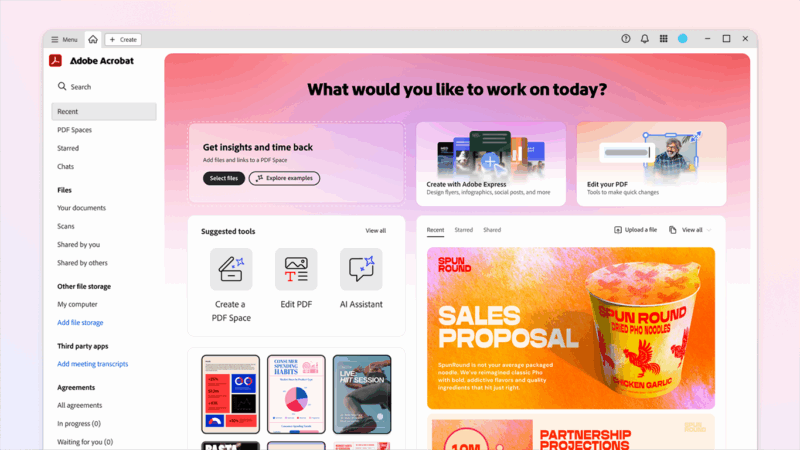
Acrobat Studio includes everything in Acrobat Standard (and Pro) plus additional tools like the AI Assistant, Adobe Express Premium for design and templates, and PDF Spaces for team collaboration (see Key Features in our Acrobat Studio article). If your organization could benefit from more automation, AI-driven workflows, or integrated creative tools, it may be worth upgrading. With the current discount, the cost difference is minimal for the first year, and you gain a unified platform for PDF editing, data extraction, audio summaries, and more. Essentially, Acrobat Studio can help teams work smarter with documents – which might provide better value in the long run despite the higher base price, especially under the promo.
Expert Licensing Advice
Deciding between staying on Acrobat Standard versus upgrading to Acrobat Studio can depend on your team’s needs and budget. Our Adobe licensing experts at SCHNEIDER IT MANAGEMENT are available to help you assess these options.
We provide guidance on the most cost-effective licensing strategy, considering the price increase and the promotion. Whether you choose to maintain your Acrobat Standard deployment or move to Acrobat Studio, we will ensure you understand the implications on your subscription and get the best possible conditions. Don’t hesitate to contact us for tailored advice on Adobe licensing.
Administrators of Acrobat Standard can log into the Adobe Admin Console to view their subscription details, license counts, and renewal dates. It’s a good practice to check your Admin Console ahead of any renewal to avoid surprises with pricing or to plan an upgrade. Any changes like switching to Acrobat Studio would typically be handled through SCHNEIDER IT MANAGEMENT as your Adobe reseller at renewal time. We assist in coordinating these changes and securing the promotional pricing if you decide to upgrade.
More Information
For further details on these changes and offers, please refer to the resources below.
- Adobe Admin Console – Manage your Adobe subscriptions and check renewal dates: https://adminconsole.adobe.com
- Adobe Acrobat Studio: Powerful New Productivity Features: https://www.schneider.im/adobe-acrobat-studio-powerful-new-productivity-features/
- Adobe Acrobat Studio Promotion – Save 15%: https://www.schneider.im/adobe-acrobat-studio-promotion-save-15/
By staying informed of these updates, you can make the best decision for your organization’s PDF tools. Whether you continue with Acrobat Standard (with its new improvements) or move up to Acrobat Studio for a more advanced feature set, planning ahead will ensure a smooth transition and optimal value.
For our Adobe page, please visit: https://www.schneider.im/software/adobe.
Please contact us for expert services on your specific Adobe software and online services requirements and to request a quote today.