

Modernize your project management now without disrupting your project operations: Microsoft will retire Project Online on September 30, 2026, marking a significant shift for organizations relying on it for Project and Portfolio Management (PPM). While the date may seem distant, planning your next step now ensures a smoother transition, reduces risk, and opens the door to more modern, integrated PPM capabilities.
Why Plan Your Transition Early?
Early movers can use the lead time before September 2026 to their advantage. Proactively planning your migration helps you to:
- Reassess PPM alignment with business goals: Evaluate how well your current Project & Portfolio Management setup supports your strategic objectives, and identify gaps or inefficiencies.
- Improve governance and integration: Bring project governance, processes, and tools closer together. A transition gives you a chance to unify disparate systems and eliminate legacy manual workflows.
- Adopt modern, cloud-first solutions: Replace outdated, siloed structures with cloud-first, modular solutions that can scale and integrate across Microsoft 365. Modern tools offer better collaboration and can incorporate AI-driven features (like Microsoft 365 Copilot) that Project Online’s legacy architecture couldn’t support.
- Avoid rushed migrations under pressure: By planning ahead, you won’t be forced into a hasty, tactical migration as the deadline looms. Instead, you can execute a phased, low-risk rollout on your own timeline.
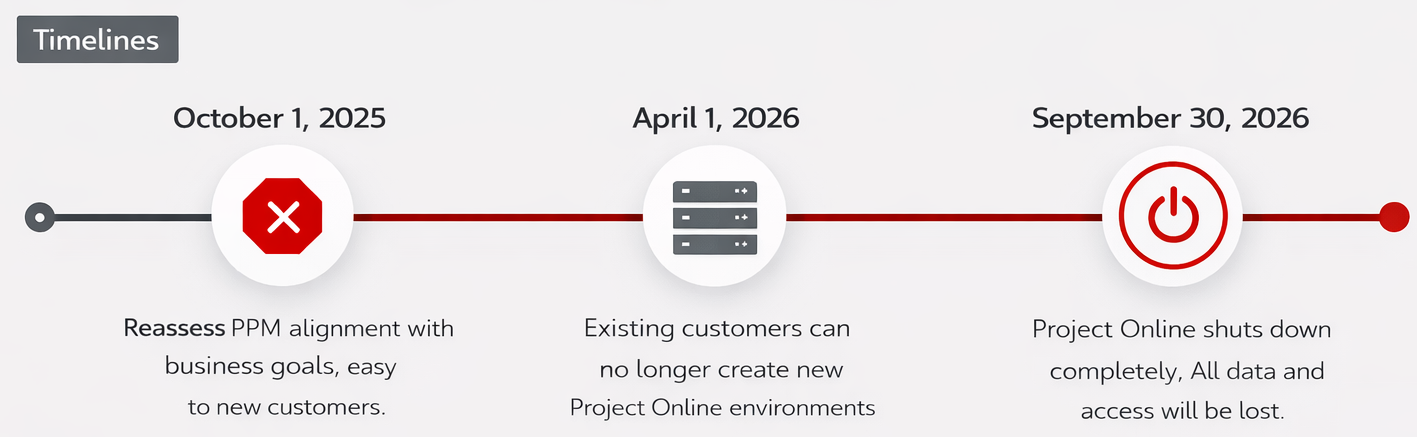
Key Dates to Remember
| Date | Event |
| October 1, 2025 | Microsoft stops selling Project Online-only licenses to new customers. |
| April 1, 2026 | Existing customers can no longer create new Project Online environments. |
| September 30, 2026 | Project Online shuts down completely. All data and access will be lost. |
Read about the Microsoft Planner Online retirement here: https://www.schneider.im/microsoft-project-online-retirement/.
Note: Microsoft has explicitly stated that this retirement impacts only Project Online. Other project management tools like Project Server Subscription Edition (on-premises), Project Desktop (Microsoft’s desktop application), and Microsoft Planner (the cloud-based planning tool) are not affected and will continue to be supported normally.
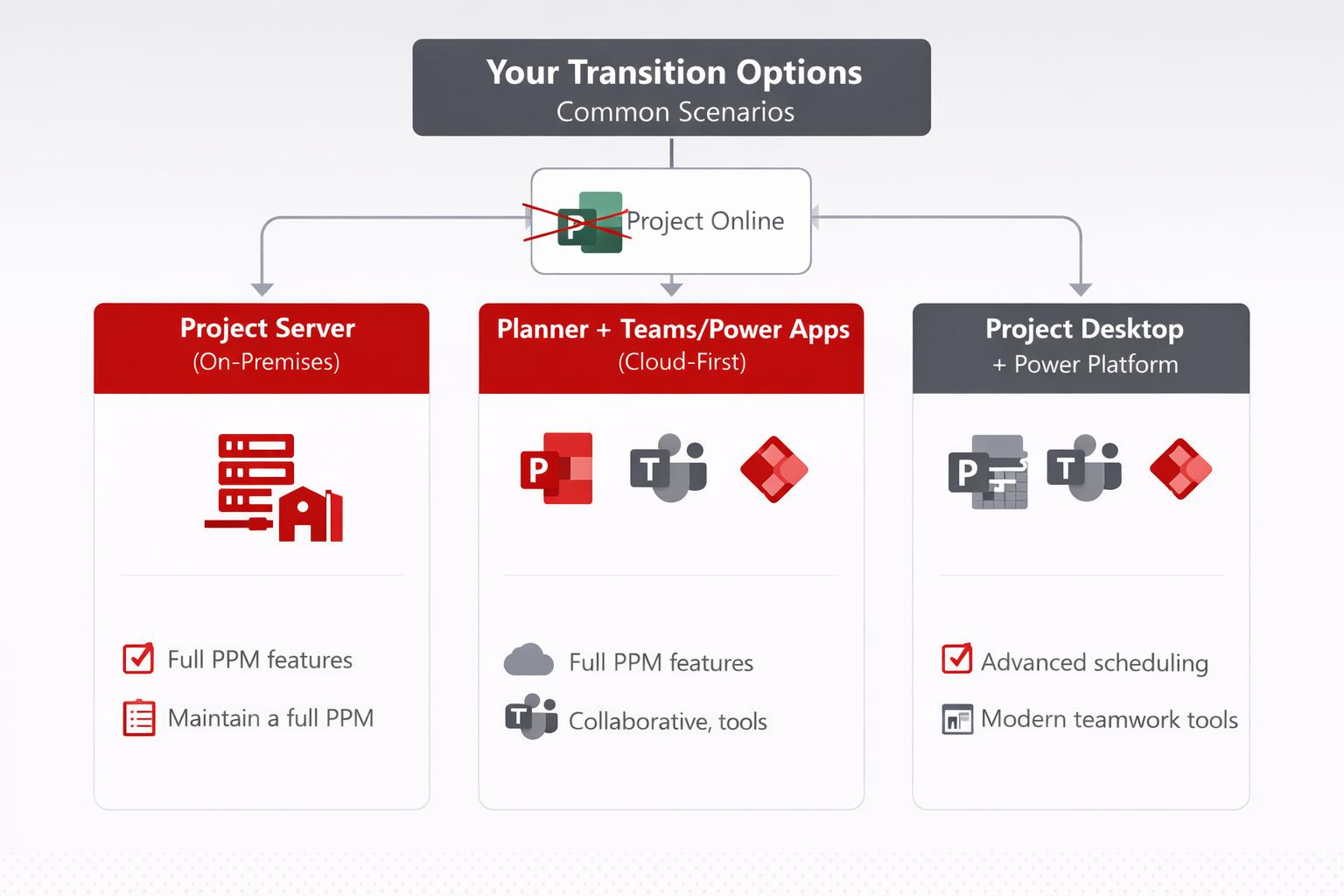
Your Transition Options: Common Scenarios
There is no one-size-fits-all replacement for Project Online: the best choice depends on your organization’s needs, such as your project governance requirements, Project Management Office’s (PMO) maturity, portfolio complexity, and IT strategy. Below we outline three common migration scenarios, each mapped to different situations. In all cases, the goal is to maintain or improve your PPM capabilities as you move off Project Online.
| Scenario | Description |
| Scenario 1: Project Server (On-Premises PPM) | Maintain a familiar, in-house solution with full PPM features. Ideal if you have a mature PMO and strict compliance needs.
|
| Scenario 2: Planner + Teams/Power Apps (Cloud-First) | Embrace a lightweight, cloud-first approach. Best for organizations favoring simplicity, collaboration, and flexibility in Microsoft 365.
|
| Scenario 3: Project Desktop + Power Platform (Hybrid) | Combine the power of Microsoft Project Desktop with modern cloud apps. This is a hybrid path for those needing advanced scheduling plus teamwork tools. |
Scenarios in Detail
Scenario 1: Project Server Subscription Edition (On-Premises or Hosted)
Recommended for organizations that need full project and portfolio management (PPM) with strict data control.
Advantages
- Keeps almost the same feature set and user experience as Project Online.
- Minimal change for users because Project Web App looks and works similarly.
- Runs on your own servers or private hosting, ideal for compliance, security, and data residency requirements.
- Fully supported long term as Microsoft’s modern on-prem PPM platform.
- Ideal for organizations with a mature PMO, highly structured processes, or heavy customization.
In short: You self-host what Project Online used to provide, with full PPM depth and maximum control.
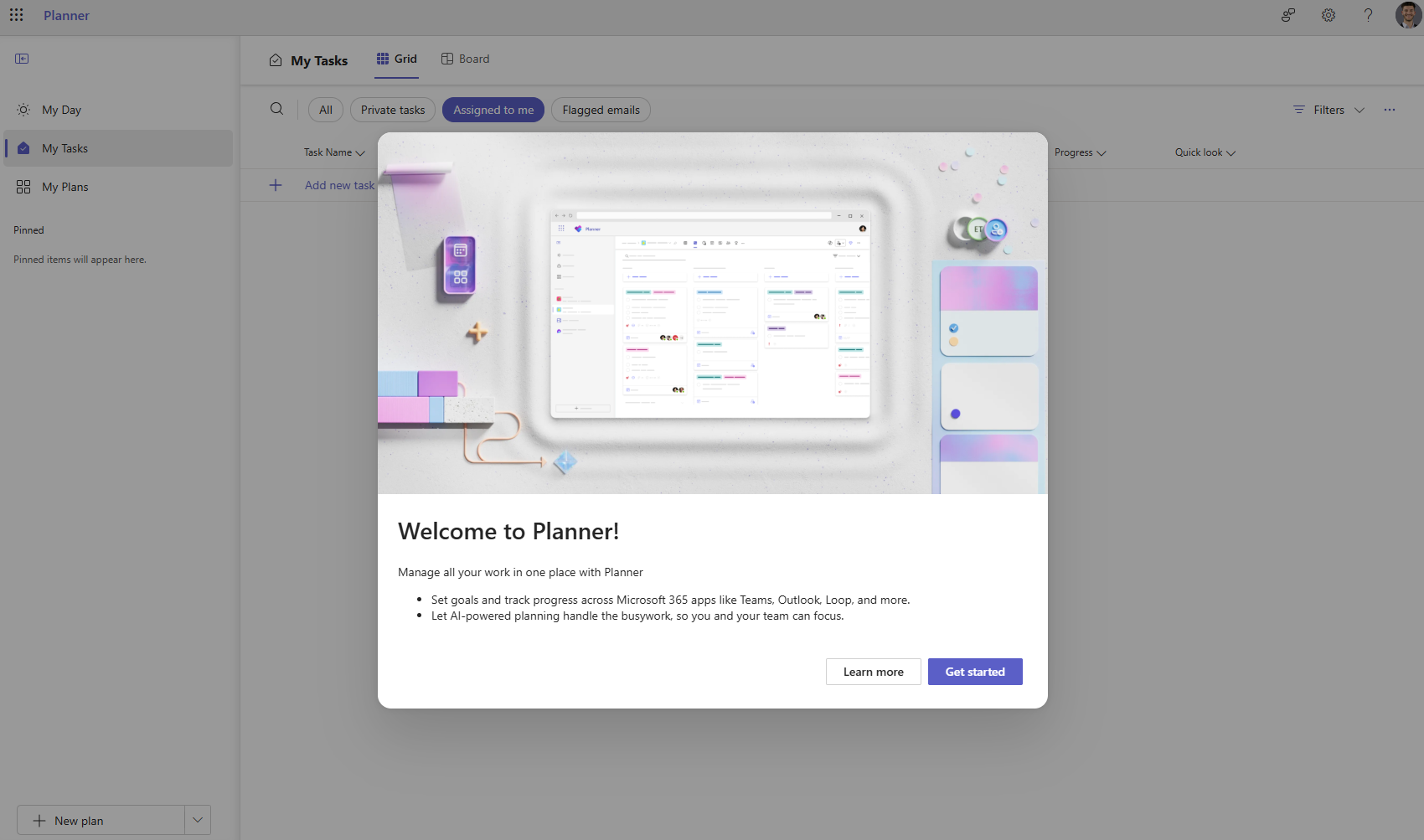
Scenario 2: Microsoft Planner + Teams Apps or Power Apps (Cloud-First PPM)
Best for businesses wanting a simple, modern, cloud-based approach.
Advantages
- Very easy to use, highly collaborative, works directly inside Microsoft Teams.
- Planner Premium adds advanced capabilities, such as timelines, dependencies, Gantt views, and basic portfolio tracking.
- Can be expanded with Power Apps, Power Automate, and Power BI for approvals, project intake, dashboards, etc.
- No servers to maintain, automatic updates, and uses your existing Microsoft 365 environment.
- Ideal for teams that prefer lightweight project management, agile workstyles, and quick adoption.
In short: Modern, flexible, cloud-first PPM that fits everyday project work and scales with the Power Platform.
Scenario 3 – Project Desktop + Teams Apps or Power Apps (Hybrid)
The choice for organizations that need advanced planning detail but still want modern collaboration.
Advantages
- Keeps the full scheduling power of Microsoft Project Desktop (critical path, advanced dependencies, resource leveling).
- Store project files in SharePoint or Teams so others can view status and updates.
- Use Power Apps, Power Automate, or Power BI to create shared dashboards, status reporting, or portfolio visibility.
- Good transitional option if you’re not ready for full cloud PPM.
- Ideal when only some users need advanced scheduling, while others work with simpler tools like Planner.
In short: Power users keep Project Desktop; everyone else collaborates through Teams, SharePoint, or Power Apps.
Next Steps: Your Guided Migration Path
Together with our trusted PPM partner Threon, SCHNEIDER IT MANAGEMENT is here to help you navigate this transition with confidence. This retirement is an opportunity to upgrade how your organization manages projects, portfolios, and resources. We offer a comprehensive approach to ensure your move is smooth and future-proof:
- Assess current Project Online usage and dependencies
- Optimize PPM governance and Business processes
- Clarify target-state scenarios aligned with business strategy
- Define a realistic, phased transition roadmap
- Facilitate the integration of the updated PPM Framework
- Manage the development and implementation of the selected solution
Contact SCHNEIDER IT MANAGEMENT today to schedule a planning session for your Project Online transition. We’ll help you choose the best path forward (whether that’s on-premises, cloud, or a hybrid mix), handle the migration, and ensure your organization is ready for a successful post-Project Online era.