
Effective November 1, 2025, Microsoft is making significant changes to Microsoft 365, Office 365, and Teams licensing and pricing. These updates are in response to European Commission competition concerns about the bundling of Teams, but they benefit customers worldwide by providing more choice, transparency, and integration options.
Organizations will once again be able to choose Microsoft 365 or Office 365 plans with or without Microsoft Teams included, with a clear price difference between the two. Microsoft is also introducing commitments to interoperability and data portability, which ensure that customers can integrate third-party solutions and export their data freely.
Below, we break down the changes and what they mean for your organization.
Licensing and Pricing Changes
Microsoft is introducing major licensing and pricing changes for Microsoft 365, Office 365, and Teams to increase flexibility and fairness. Beginning November 1, 2025, customers will see new options for how Teams is packaged with Microsoft 365, as well as a more transparent pricing structure:
- Reintroducing suites with Teams: Microsoft is bringing back the option to buy Microsoft 365 and Office 365 suites that include Teams bundled, for all customers globally. In recent years (especially in some regions), new customers only had the choice of suites without Teams by default. Starting November 1, 2025, the full lineup of suites will be available either with Teams or without Teams. For example, if you’re purchasing Office 365 E3 for a new team of employees, you can decide to get the version that includes Teams or save money by getting the version without Teams and perhaps use another meeting/chat solution. This change “maximizes available options”: You can pick the suite that best fits your collaboration strategy. (Note: Academic, US Government, and Nonprofit plans are not impacted by these changes and will remain as currently offered.)
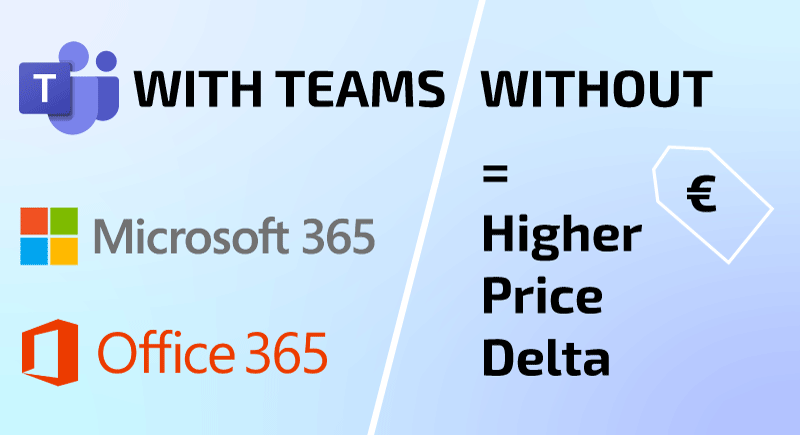
- New fixed price “deltas”: To accompany the return of Teams-inclusive plans, Microsoft has set fixed price differences (deltas) between the price of a suite with Teams vs. without Teams. In other words, if you choose a version of a product without Teams, it will cost a set amount less per user than the version with Teams included. This delta is the extra cost of having Teams in a subscription, made explicit. Microsoft’s commitments ensure these differences are significant and transparent, so customers who opt out of Teams truly save money. The table below shows the minimum price deltas by plan type:
- Minimum Price Difference (with Teams vs. without Teams):
| Microsoft 365 / Office 365 Suite | Price Delta (per user/month)* |
| Microsoft 365 E3/E5 Office 365 E3/E5 |
€8.00 (≈$8.55) |
| Microsoft 365 Business Standard/Business Premium Office 365 E1 |
€3.00 (≈$3.21) |
| Microsoft 365 Business Basic | €1.50 (≈$1.61) |
| Microsoft 365 F3 (Frontline) | €1.00 (≈$1.07) |
*All prices shown in this article are non-binding and for informational purposes only.
In practice, for example, Office 365 E5 without Teams will cost €8 less per user per month than Office 365 E5 with Teams. These deltas will be held constant in USD for 7 years (the anticipated enforcement period), providing price stability. Exact equivalents in other currencies (EUR, GBP, etc.) may fluctuate over time with exchange rates, but the principle remains: The difference in price will be fixed based on the USD value.
- Teams standalone pricing: Microsoft will also adjust standalone Teams subscription pricing in line with these deltas. Teams as a standalone product must cost at least as much as the corresponding bundle delta. This prevents any workaround where buying a suite without Teams plus a separate Teams license would be cheaper than the bundle. Concretely, the minimum prices for standalone Teams plans will be:
| Teams Standalone Offering | Minimum Price (per user/month) |
| Microsoft Teams (Enterprise/EEA version)* | €8.00 (≈$8.55) |
| Microsoft Teams Essentials | €3.00 (≈$3.21) |
*”Microsoft Teams Enterprise/Microsoft Teams EEA” refers to the full-featured standalone Teams for enterprises, including the special version for European Economic Area where needed, both priced the same.
So, if a business only wants to subscribe to Teams by itself, it will pay at least €8 per user/month for the enterprise-grade version. This matches the top delta for E3/E5 plans. And the lightweight Teams Essentials (which offers core Teams features for small businesses) will be at least €3 per user/month. This alignment ensures fairness: you pay roughly the same whether you buy Teams as part of a suite or on its own.
- Global price adjustments: Microsoft is rolling out these changes globally, not just in Europe. That means prices for existing “without Teams” suites will be adjusted downward as of November 1, 2025, to match the new delta values, and standalone Teams prices adjusted upward if needed. Wherever you are, the licensing will be consistent. This global approach simplifies licensing and negotiations for international organizations and ensures everyone gets the intended savings if they opt out of Teams. Microsoft had already offered some suites without Teams in various markets; those will simply align to the new price structure now.
- Frontline (F) suite changes: Although frontline worker suites weren’t explicitly part of the EU commitments, Microsoft is voluntarily adjusting the Frontline licenses as well. Notably, the Microsoft 365 F3 plan without Teams will be priced exactly €1.00 ($1.07) less than the F3 plan with Teams, in line with the delta for that category. Other frontline plans (like F1/F3 variants without Teams) will maintain their existing differences, which are already small. The bottom line is all major commercial suites, from Frontline up to Enterprise, will consistently reflect the new pricing model.
- Fair options for European customers: If your organization is in the European Economic Area (EEA), Microsoft is providing extra assurance that choosing a suite without Teams won’t put you at a disadvantage. Customers on multi-year agreements in the EEA can switch from a Teams-included suite to the corresponding suite without Teams at their yearly renewal, for the next 5 years (2025–2030). And if you do switch, you will keep whatever discount or pricing deal you had: Microsoft guarantees that you will pay the current price of the new (no-Teams) suite with the same percentage discount you previously had applied. Moreover, any discount Microsoft offers on a suite that includes Teams will also be offered on the suite without Teams in equal measure.
Overall, these licensing changes give customers clearer choices and cost predictability. If you need Teams’ functionality, you can still get it bundled as before. If you prefer an alternative to Teams or don’t need it for certain users, you can opt for a cheaper license without paying for Teams. And since the approach is standardized worldwide, multi-national organizations can easily understand and plan their licensing in each region.
Before November 1, 2025, vs. After November 1, 2025
Here is an overview of what customers can do before and after November 1, 2025:
| Suite Type | Before November 1 | After November 1 |
|---|---|---|
| Enterprise Suites | Existing customers: • Renew and upgrade existing subscriptions with Microsoft Teams. • Add new subscriptions to suites without Microsoft Teams at any time. • Switch existing subscriptions with Microsoft Teams to suites without Microsoft Teams at renewal.New customers: • Purchase Microsoft 365 E3 or Microsoft 365 E5 (without Microsoft Teams) or Office 365 E1, Office 365 E3, Office 365 E5 (without Microsoft Teams) plus Microsoft Teams Enterprise or Microsoft Teams EEA (if desired). |
More SKU options for all customers.
Existing customers: New customers: Price decrease for Enterprise suites without Microsoft Teams. Price increase for Microsoft Teams Enterprise and Microsoft Teams EEA. |
| Frontline Worker (FLW) Suites | • Purchase new subscriptions of suites with Microsoft Teams at any time. • Add new subscriptions to suites without Microsoft Teams at any time. • Switch existing subscriptions to suites without Microsoft Teams at renewal. |
No change to SKU availability.
Price decrease for Microsoft 365 F3 without Microsoft Teams. |
| Small and Medium Business (SMB) Suites | • Purchase new subscriptions of suites with Microsoft Teams at any time. • Add new subscriptions to suites without Microsoft Teams at any time. • Switch existing subscriptions to suites without Microsoft Teams at renewal. |
No change to SKU availability.
Price decrease for Microsoft 365 Business suite without Microsoft Teams. |
Commitments to Interoperability and Data Portability
A key part of Microsoft’s agreement (aka. Microsoft’s “Commitments”) with the European Commission is expanding interoperability and data portability for Microsoft 365 and Teams. These measures give customers and partners more flexibility to integrate other solutions and control their data:
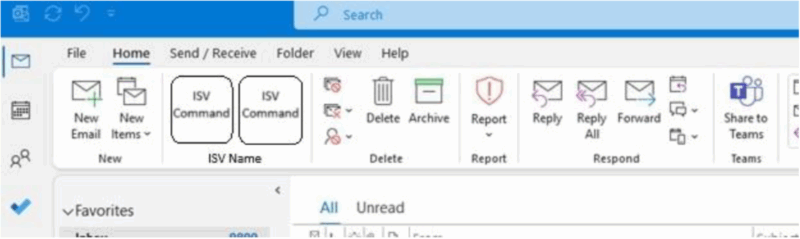
- Open integration model maintained: Microsoft will continue to support third-party add-ins and integrations for Microsoft 365 and Teams just as before. The Microsoft 365 add-in model and AppSource marketplace will remain open to communication and collaboration solution providers, allowing tools like Zoom, Slack, etc., to integrate with Outlook, Teams, and other apps on equal footing. This ensures you can plug in the apps your organization prefers into the Microsoft 365 ecosystem.

- Embeddable Office web apps: Microsoft is enabling other software providers to embed Office Web Applications (Word, Excel, PowerPoint web versions) within their own solutions through the Microsoft Document Collaboration Partner Program (MDCPP). In practice, this means third-party services can incorporate Microsoft’s document editing/viewing capabilities directly, which provides a more seamless cross-platform workflow.
- Customer data access via APIs: Microsoft is releasing new APIs for core Microsoft 365 services, including Entra ID (Azure AD), Exchange Online, SharePoint Online, and OneDrive. These new APIs are equivalent to what Microsoft Teams uses. This gives other collaboration software the ability to access calendar, contacts, files, and other data from Microsoft 365 (with consent), just like Microsoft Teams does. For customers, it means your chosen tools can work with your Microsoft 365 data without restriction.
- Teams data export and migration: To ensure full data portability, Microsoft is providing tools for customers to export their Teams data. Organizations can use new Teams data migration APIs, and even small businesses or individual end users can use a self-service Teams data export tool at no extra cost. In short, you can take your Teams conversation history, files, and other info and move it to another platform if you ever choose to. You retain control of your data.
- Centralized developer resources: Microsoft will launch a central developer portal consolidating all these interoperability resources (APIs, documentation, support channels) in one place. Developers from other software companies – or your internal IT team – can easily find the info and support needed to integrate or extend Microsoft 365 and Teams. Microsoft also commits to maintaining these resources over time, so this is not just a one-off effort.
These commitments mean greater freedom and choice for customers. You can confidently use a mix of collaboration tools, also from third-party providers, knowing Microsoft 365 will integrate with them. You can also retrieve your data from Microsoft’s platforms whenever you need. Essentially, Microsoft is addressing the “lock-in” concern and makes sure that using Teams isn’t a permanent, one-way decision if your needs evolve.
Frequently Asked Questions (FAQ)
Is Microsoft actually reducing prices with this change?
In relation to the “without Teams” plans: Yes. These plans will cost less per user/month than their counterparts that include Teams.
Plans with Teams, such as Microsoft 365 E3 or Microsoft 365 E5, will most likely not increase in price, as the CSP price list preview for November 2025 does not show price increases.
There will, however, be a price increase for Microsoft Teams Enterprise and Microsoft Teams EEA.
Therefore, see the above table in “Before November 1, 2025, vs. After November 1, 2025” to find an overview of effective price changes on the right side.
Will there be price changes for existing customers on current suites and standalones?
Yes. Customers who currently subscribe to Microsoft 365 or Office 365 suites without Teams or to Teams Enterprise standalones will be subject to the new pricing outlined above at their next renewal after November 1, 2025. Pricing for Microsoft 365 and Office 365 suites with Teams will not be affected by this settlement.
Can I mix licenses with and without Teams in my organization?
Yes. You can assign different licenses to different users based on their needs. For example:
- Sales team: Microsoft 365 E5 with Teams
- Finance team: Microsoft 365 E5 without Teams
This flexibility allows you to optimize costs and functionality across departments.
Will I lose access to Teams if I switch to a “without Teams” license?
Yes, users assigned to a “without Teams” license will not have access to Microsoft Teams unless you purchase a separate Teams standalone license. However, Microsoft ensures that standalone Teams licenses are priced fairly and consistently with the bundle deltas.
Where was this change announced?
This change was officially announced on September 12, 2025, in this Microsoft article: https://partner.microsoft.com/en-us/blog/article/evolving-our-productivity-offerings-microsoft-teams and here: https://www.microsoft.com/en-us/licensing/news/Microsoft365-Teams-2025.

What should I do now?
- Review your current Teams usage across departments.
- Identify users who don’t need Teams and consider switching them to cheaper “without Teams” licenses after November 1, 2025.
- Before November 1, 2025, consider purchasing more “with Teams” licenses for users that require Teams, as the pricing might increase after November 1, 2025 (still unclear – no official info available yet).
- Contact SCHNEIDER IT MANAGEMENT for tailored advice and savings opportunities.