


Microsoft is entering one of the largest shifts in Teams and workplace licensing since Teams launched. Between February 2026 and April 1, 2026, Microsoft will retire legacy event technologies, consolidate event capabilities, expand Microsoft Places access across most Microsoft 365 licenses, and introduce new licensing models to support shared desks and large-scale events.
Summary (TL;DR)
- Microsoft retires Teams Live Events on June 30, 2026; existing events run until February 28, 2027. Dynamics 365 and Viva Engage lose the ability to create Live Events ahead of retirement.
- The new Teams Events experience (Town Halls + webinars) replaces Live Events entirely.
- Microsoft Places features like Places Finder and Places Explorer become available to most Microsoft 365 licenses at no extra cost.
- The Teams Shared Devices license becomes Teams Shared Space, supporting up to four desks plus shared devices and providing desk analytics.
- Teams Enterprise now includes advanced Town Hall and webinar capabilities formerly available only in Teams Premium.
- New Attendee Capacity Packs scale events up to 100,000 participants.
- Teams Premium remains required for advanced meeting security, intelligent recap, advanced Teams Phone features, and enhanced Bookings/virtual appointments.
These changes affect event planning, communication workflows, workspace management, device licensing, and long-term budgeting for collaboration platforms.
This article breaks down what is changing, why it matters, and what actions to take now.
Retirement of Teams Live Events on June 30, 2026
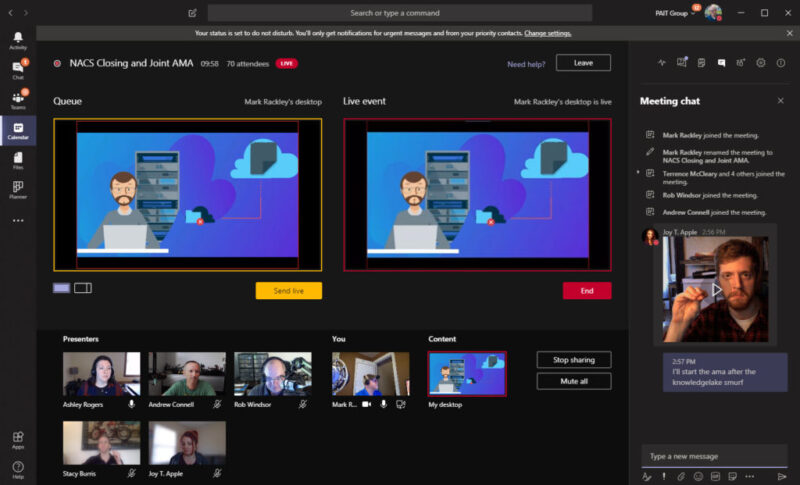
Microsoft is retiring Teams Live Events in favor of a unified, modernized event experience built into Teams. Organizations currently relying on Live Events for large broadcasts must transition their workflows and scheduling processes before key cutoff dates.
Key Dates
| Item | What Happens | Effective Date |
| Scheduling of Teams Live Events | No new Live Events can be scheduled for any date after this point | June 30, 2026 |
| Existing Live Events | All Live Events already scheduled will continue to run until this date | February 28, 2027 |
| Graph API (isBroadcast) | API functionality for Live Events is fully retired | June 30, 2026 |
| Dynamics 365 | Blocks creation of Live Events if the event date is after June 30, 2026 | February 3, 2026 |
| Viva Engage | Cannot create new Live Events anymore | April 15, 2026 |
Many organizations rely on automated scheduling, API workflows, or integrated event creation from Viva Engage or Dynamics 365. These workflows must now be migrated to the new Teams Events platform to avoid service disruption.
Successor: the new Teams Events experience
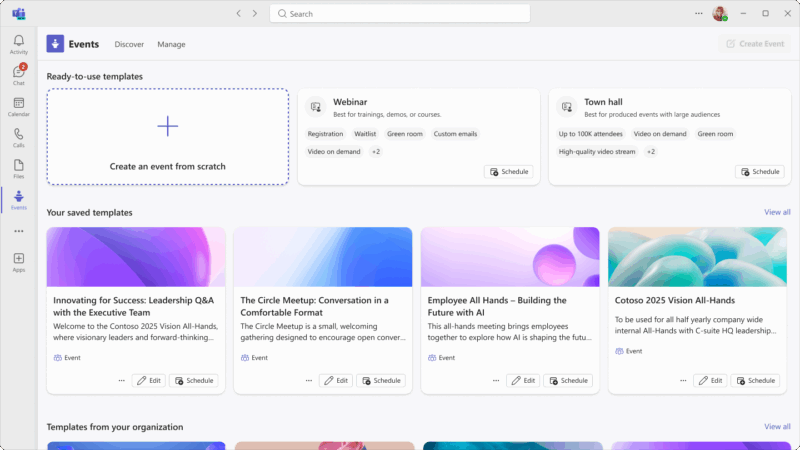
Microsoft now consolidates Town Halls, webinars, and event production tools into a more modern experience that replaces Live Events entirely.
Microsoft Places features become available to most Microsoft 365 licenses

Microsoft Places aims to make hybrid work more predictable and coordinated. Starting April 1, 2026, Microsoft is making its core space discovery and booking functionality available to nearly all Microsoft 365 licenses that include Outlook and Teams calendar access (Microsoft 365 E3, E5, Business Basic, Business Standard, and Business Premium; Outlook 365 E1, E3, and E5; Exchange Online; various Teams licenses; additional Microsoft 365 and Office 365 licenses)
What this includes
- Places Finder for richer room and desk booking with images, floorplans, and attributes.
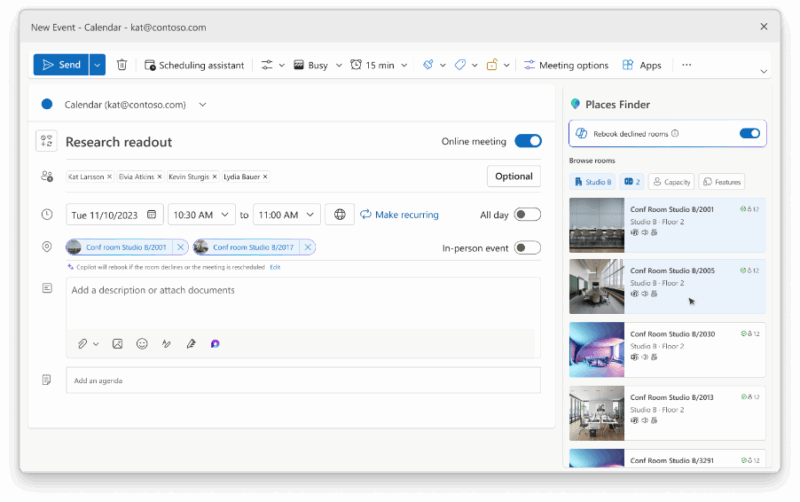
- Places Explorer for map based space discovery, onsite presence visibility, and location insights.
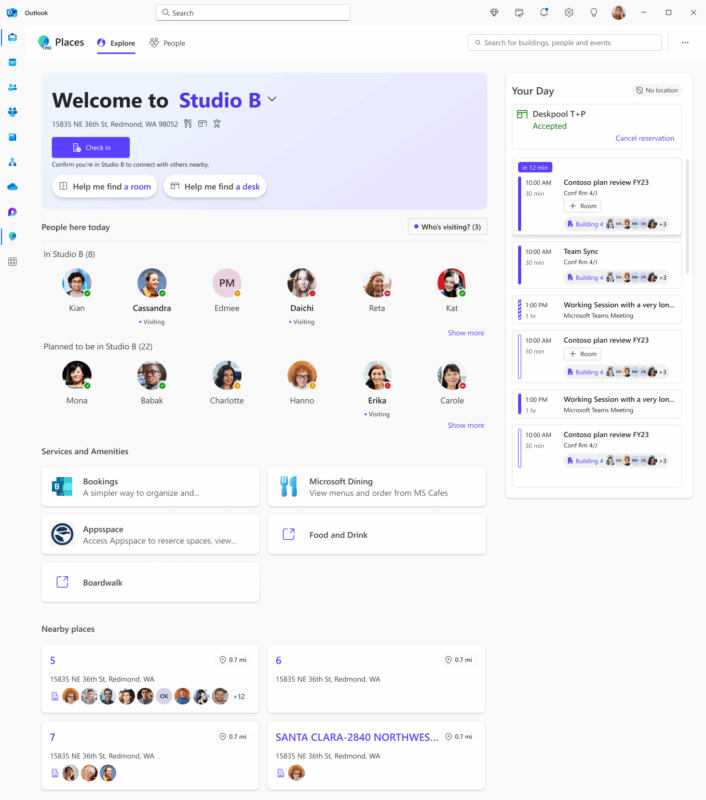
- Building-level check-in and device-driven presence features for Teams Enterprise users.
Previously, many of these capabilities required Teams Premium. Now, even organizations on Business plans or core E3/E5 licenses gain advanced space discovery without additional cost, making Places easier to roll out across entire offices.
New Teams Shared Space license replaces Teams Shared Devices

Microsoft is extending its approach to shared workspace management. The former Teams Shared Devices license will be renamed Teams Shared Space and expanded to support more types of physical spaces.
This includes
- One Shared Space license covers up to four desks or workspaces.
- Desk booking, room policies, auto release, and inventory management.
- Desk level occupancy analytics for licensed desks.
- Support for panels, hotdesking devices, common area phones, and non-Teams Rooms spaces.
Microsoft addresses the organizational need for hybrid work models with more granular desk and space management. The Shared Space license unifies device and desk licensing, enabling consistent management in Places Directory. Existing customers transition automatically, with an additional free license required to enable desk management.
Teams Enterprise improves: Advanced Town Hall and webinar features move from Teams Premium to Teams Enterprise
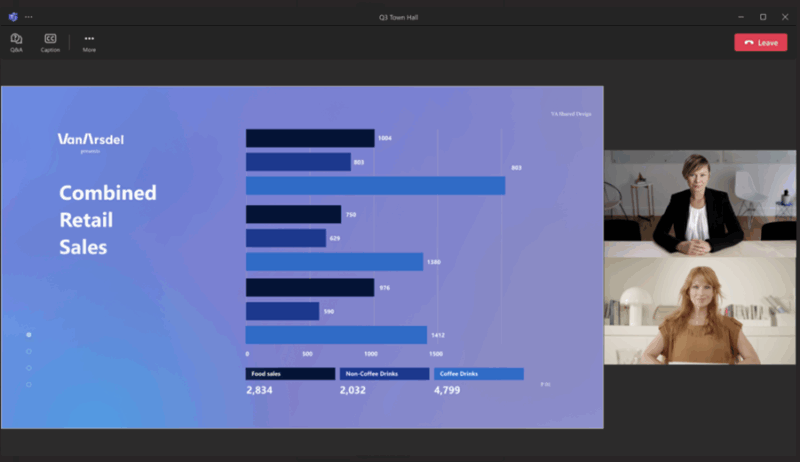
Microsoft is broadening access to event and webinar functionality by shifting most advanced event features from Teams Premium to Teams Enterprise.
What capabilities move into Teams Enterprise
- Advanced Town Hall and webinar features
- Streaming chat and reactions
- Real time event insights
- Meeting theme and email branding
- Enterprise CDN (eCDN) included
- Immersive 3D events
- Up to 3,000 fully interactive attendees
- Up to 10,000 view-only attendees
Many organizations subscribed to Teams Premium primarily for event hosting. With the shift, Teams Enterprise becomes significantly more capable for internal and external broadcasts without additional licensing.
Teams Premium remains essential for:
- advanced meeting protection
- intelligent recap
- end to end encryption
- Teams Phone queue enhancements
- advanced Bookings/virtual appointments
New Attendee Capacity Packs for events up to 100,000 participants
Microsoft is standardizing large scale event licensing with new Attendee Capacity Packs.
Attendee Capacity Packs enable:
- event sizes between 5,000 and 100,000 attendees
- unlimited events during the term
- configurable in Teams Admin Center
- consistent pricing model replacing legacy Teams Premium entitlements
Organizations hosting very large events (public webcasts, investor relations, global all hands) can scale predictably with dedicated capacity packs.
Interestingly, these Capacity Pack licenses are not assigned to a tenant, as one might expect, but to an individual meeting organizer. This means that reassigning a license unintentionally could impact an upcoming event. To address this, Microsoft has introduced enhanced license management capabilities in the Teams Admin Center, enabling administrators to more easily discover, assign, and manage these licenses.
What to check now
- Teams Live Events migration: Move all remaining Live Events workflows to Town Halls or the new Teams Events platform.
- Automated scheduling check: Update any Dynamics 365 or Viva Engage event automations that stop working in early 2026.
- Event capacity planning: Review audience sizes and determine whether Attendee Capacity Packs are required.
- Microsoft Places readiness: Prepare floorplans, room data, and desk attributes for a Places rollout across your offices.
- Shared Space licensing alignment: Inventory desks and shared devices to correctly transition to the new Teams Shared Space license.
- Teams Premium reassessment: Evaluate which users still need Premium features now that most event tools move to Teams Enterprise.
Get Guidance from Licensing Experts

We understand that these licensing changes bring new capabilities but also new complexity. Whether you need to migrate from Live Events, plan your Places rollout, optimize Teams Enterprise vs. Teams Premium, or align your shared workspace licensing, we help you design the right approach and avoid costly missteps.
Contact SCHNEIDER IT MANAGEMENT today for tailored licensing guidance and a clear strategy that ensures your organization is ready for the new Microsoft Teams and Places landscape.
Sources
Retiring Teams live events: The next chapter for events at scale in Microsoft Teams: https://techcommunity.microsoft.com/blog/microsoftteamsblog/retiring-teams-live-events-the-next-chapter-for-events-at-scale-in-microsoft-tea/4486465
Licensing updates extend access to advanced capabilities in Microsoft Teams and Microsoft Places: https://techcommunity.microsoft.com/blog/microsoftteamsblog/licensing-updates-extend-access-to-advanced-capabilities-in-microsoft-teams-and-/4488312.